
Price
Free
Play it in your browser. No account or checkout.
You steer a crowd of runners down the road. Pick the good gates to grow it, fight through enemy squads and beat 3 bosses. Your viewers' gifts add runners and shields, or throw squads, saws and giants in the way.
The short version, so you know if it fits your stream.
Price
Free
Play it in your browser. No account or checkout.
Round
3 to 5 minutes
3 stages, each ending in a boss. The round ends at 5:00 if you are still running.
Who plays
You, the streamer
A and D, the arrow keys or the mouse steer the crowd.
Viewers
6 gift actions
3 help the crowd and 3 hinder it. 1 gift = 1 action.
Needs
TikFinity Desktop App
Open and connected for real gifts. Practice gifts work without TikTok.
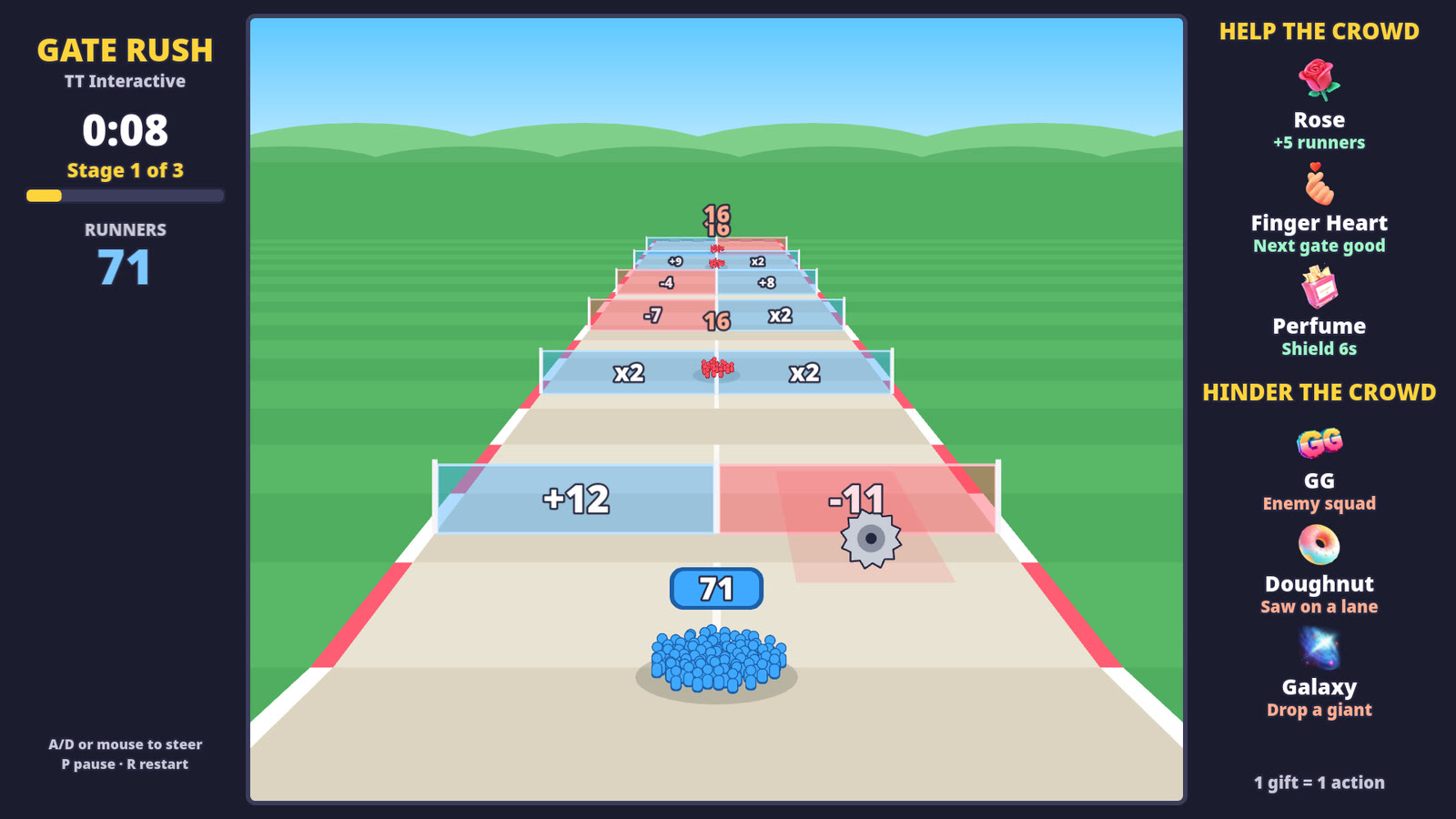
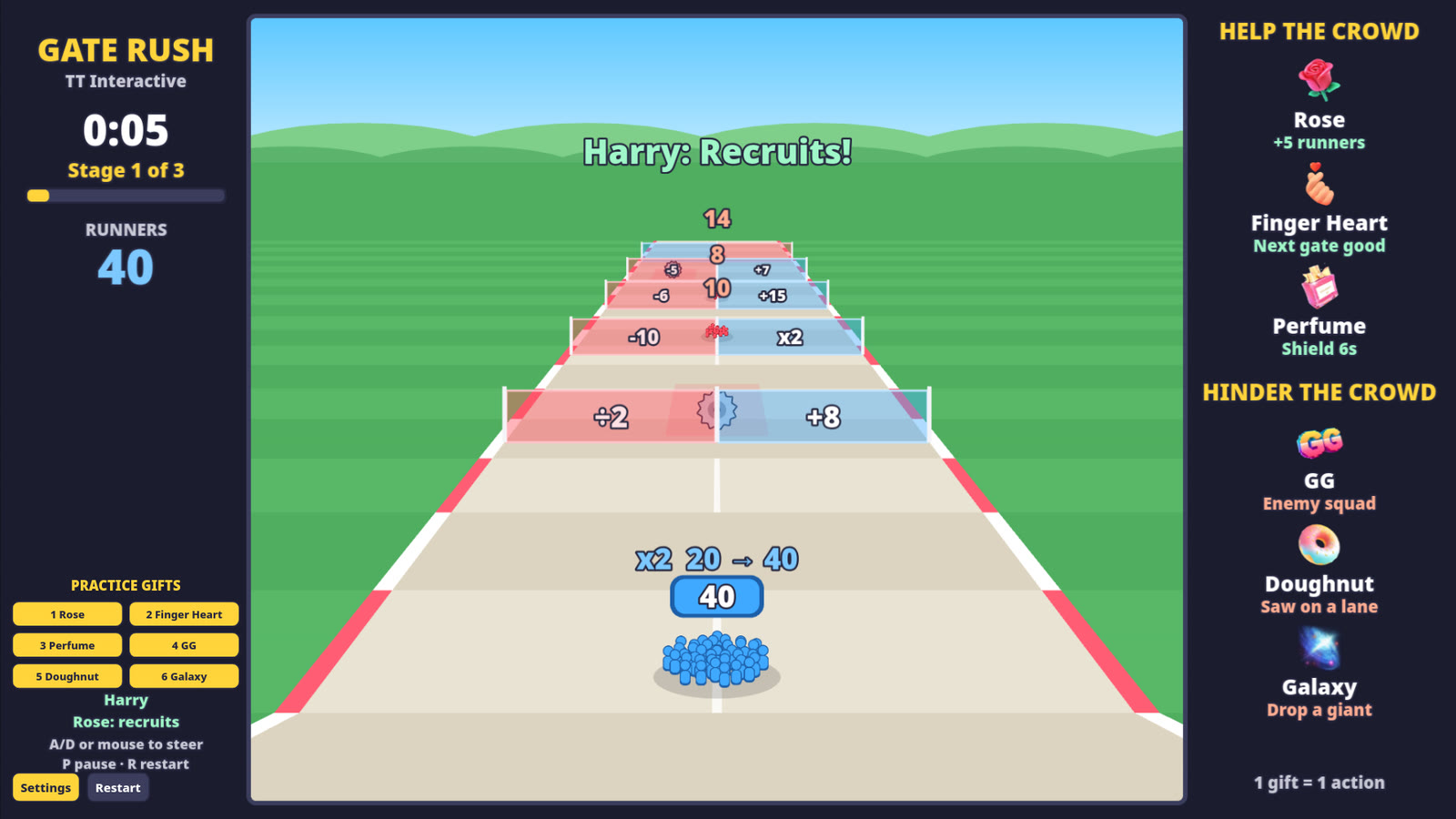
Gate Rush is a crowd runner. Your crowd starts with 15 runners and runs down the road on its own. You steer it left and right. Every few seconds it reaches a pair of gates, and the side you run through changes your crowd: blue gates add or multiply runners, red gates take them away or halve them.
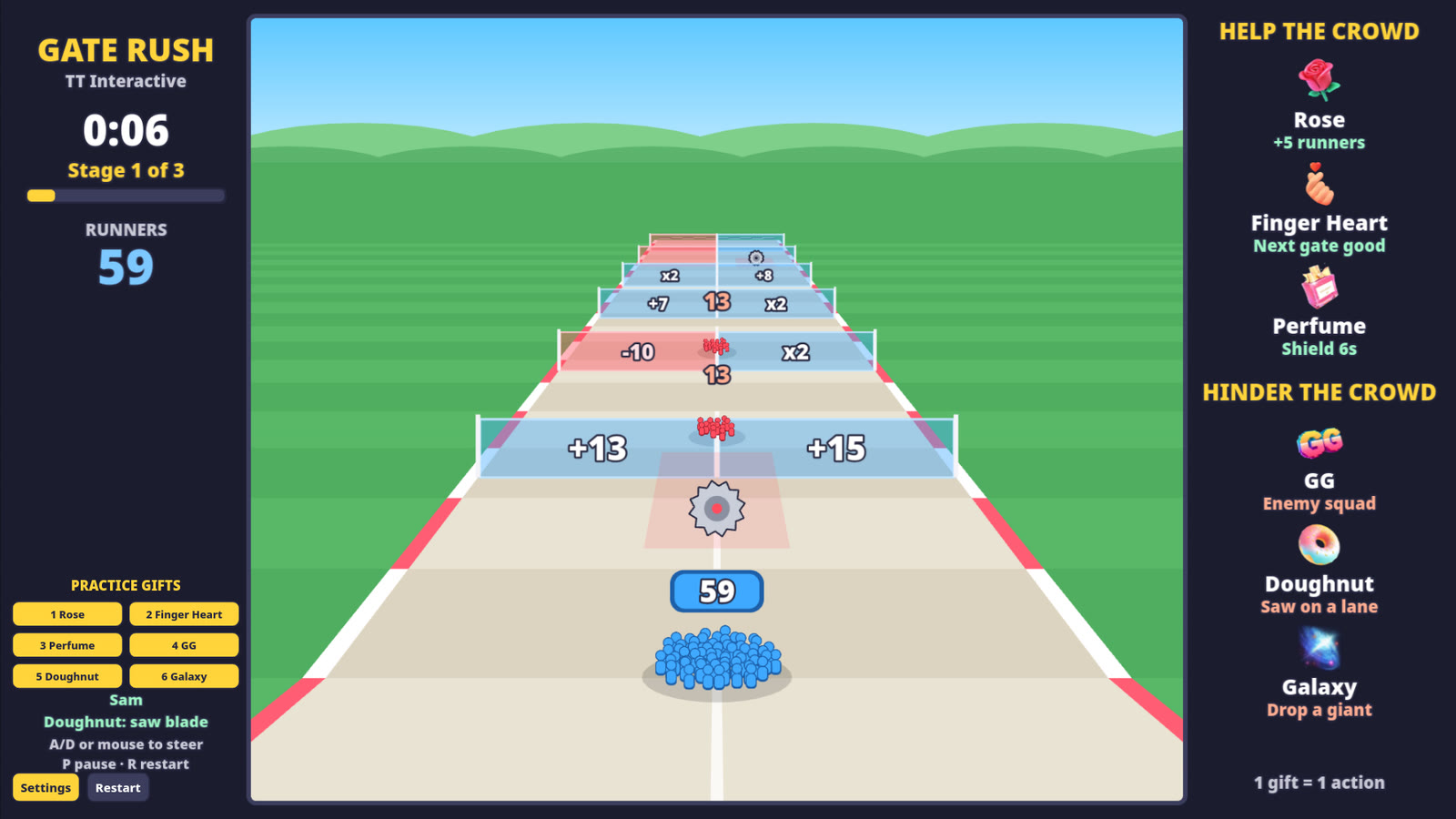
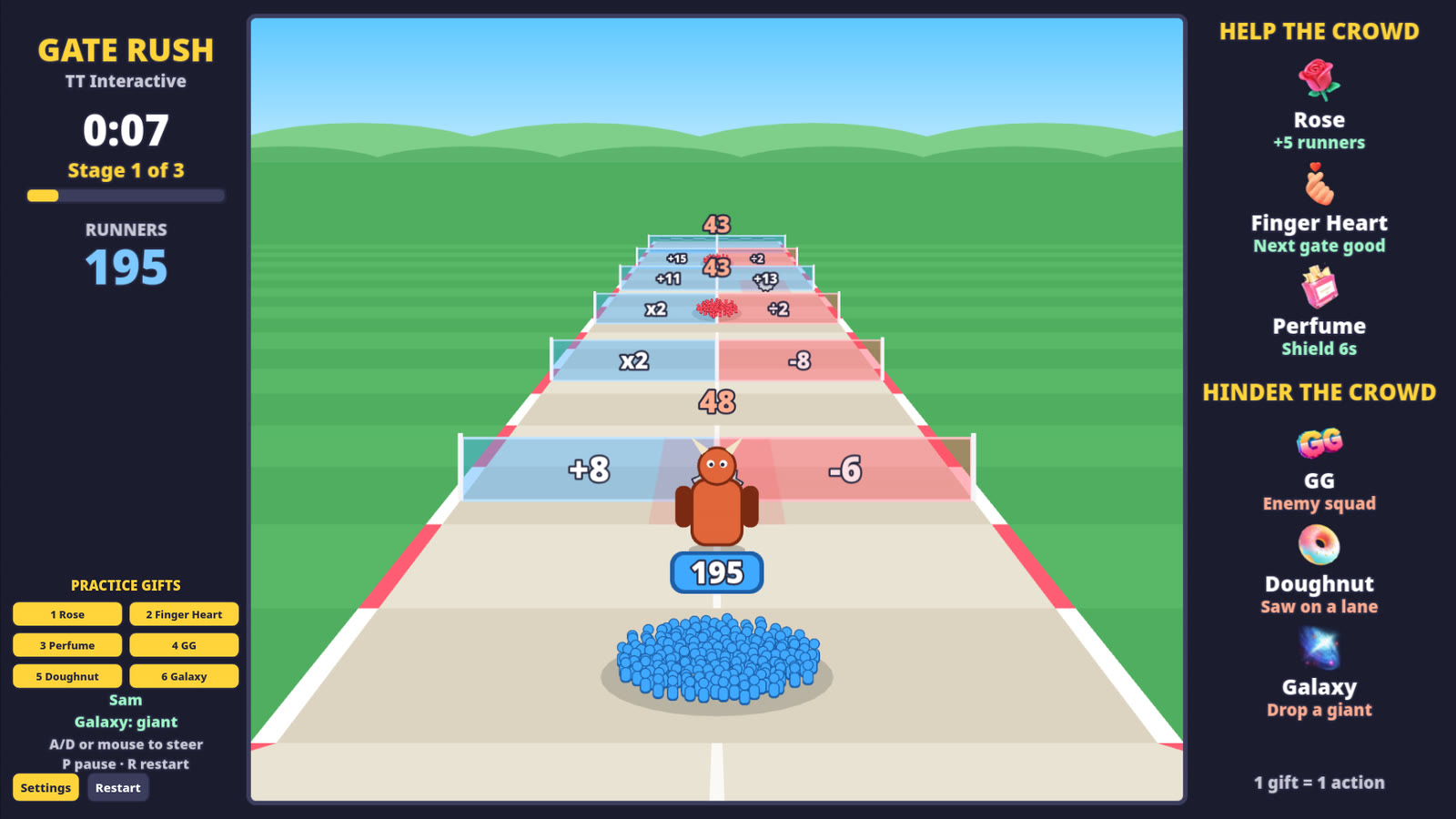
Enemy squads and giants block the road. When your crowd runs into them, both sides lose runners until one is gone. Saw blades roll down one lane and cut your crowd by a quarter if they hit, so steer out of the way.
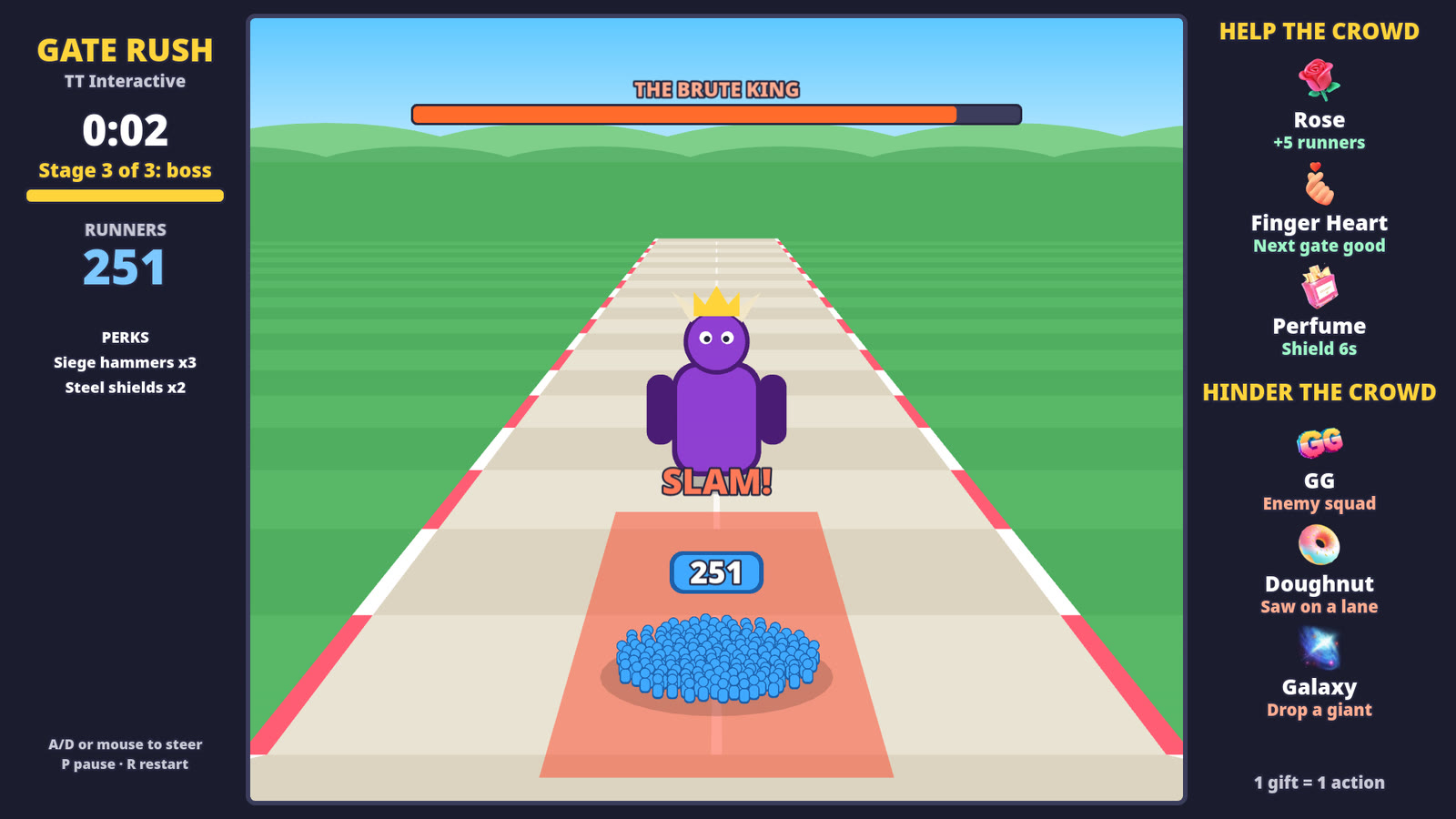
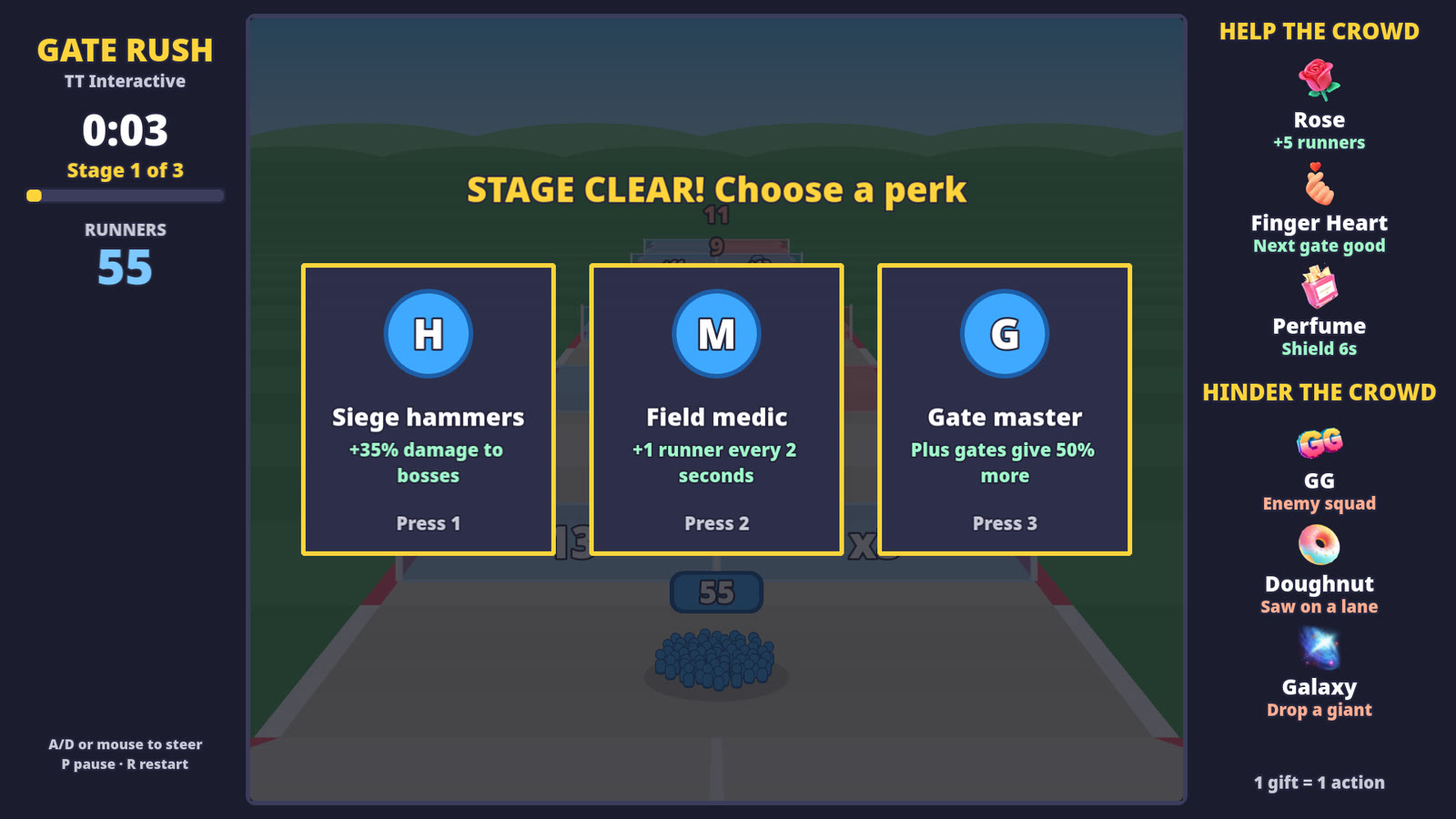
Each of the 3 stages ends with a boss: the Ogre Captain, the Axe Warlord and The Brute King. Your crowd attacks the boss on its own, and the bigger it is, the faster the boss goes down. Watch for the red slam zone and steer out of it before the SLAM lands. Beat a boss and you pick 1 of 3 perks before the next stage.
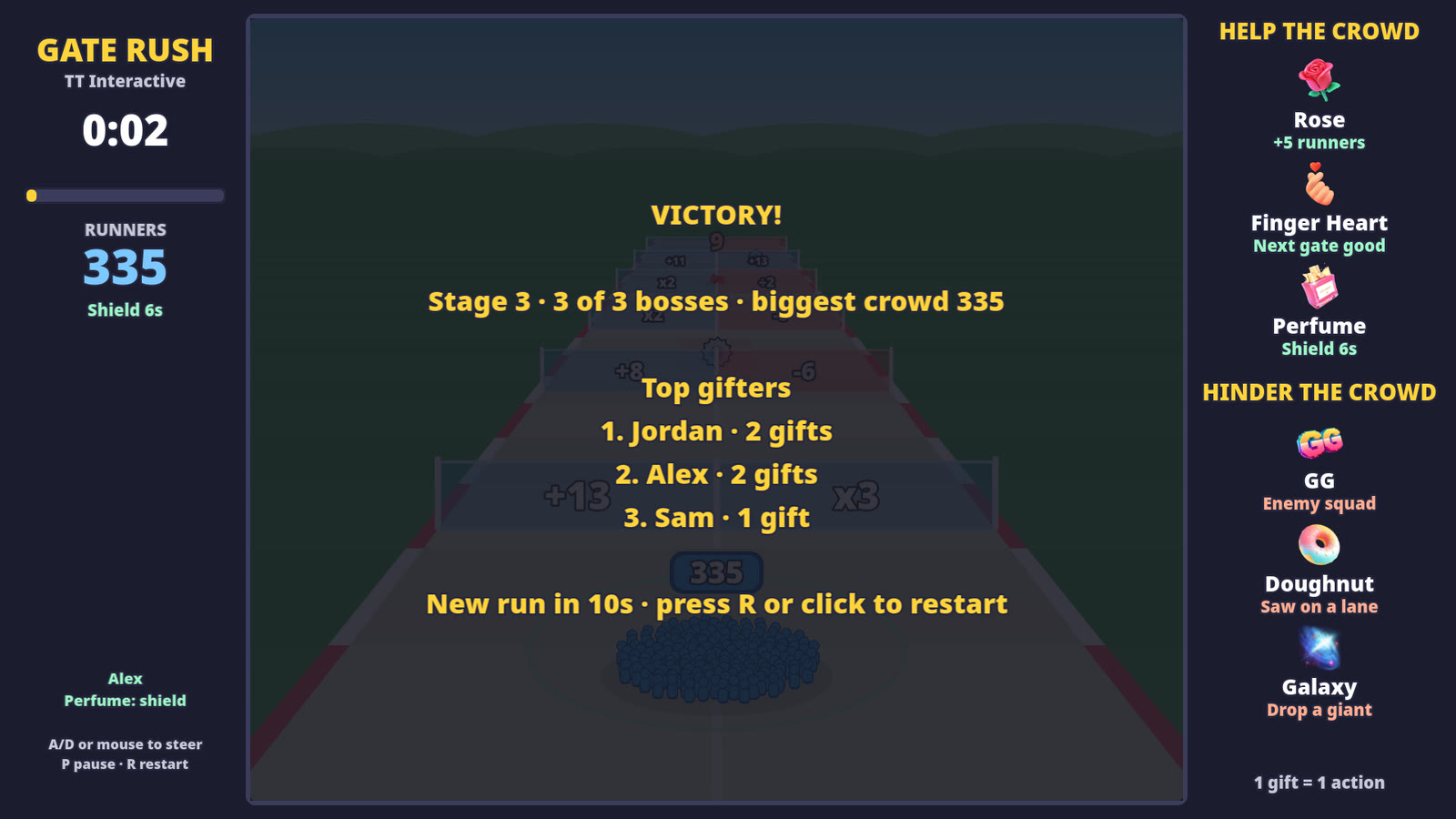
Beat The Brute King and you win. If your crowd hits zero you have fallen, and if you are still running at 5:00 the round ends. A new round starts on its own 12 seconds later. The gifter's name shows when their gift lands, and the results screen lists the top gifters.
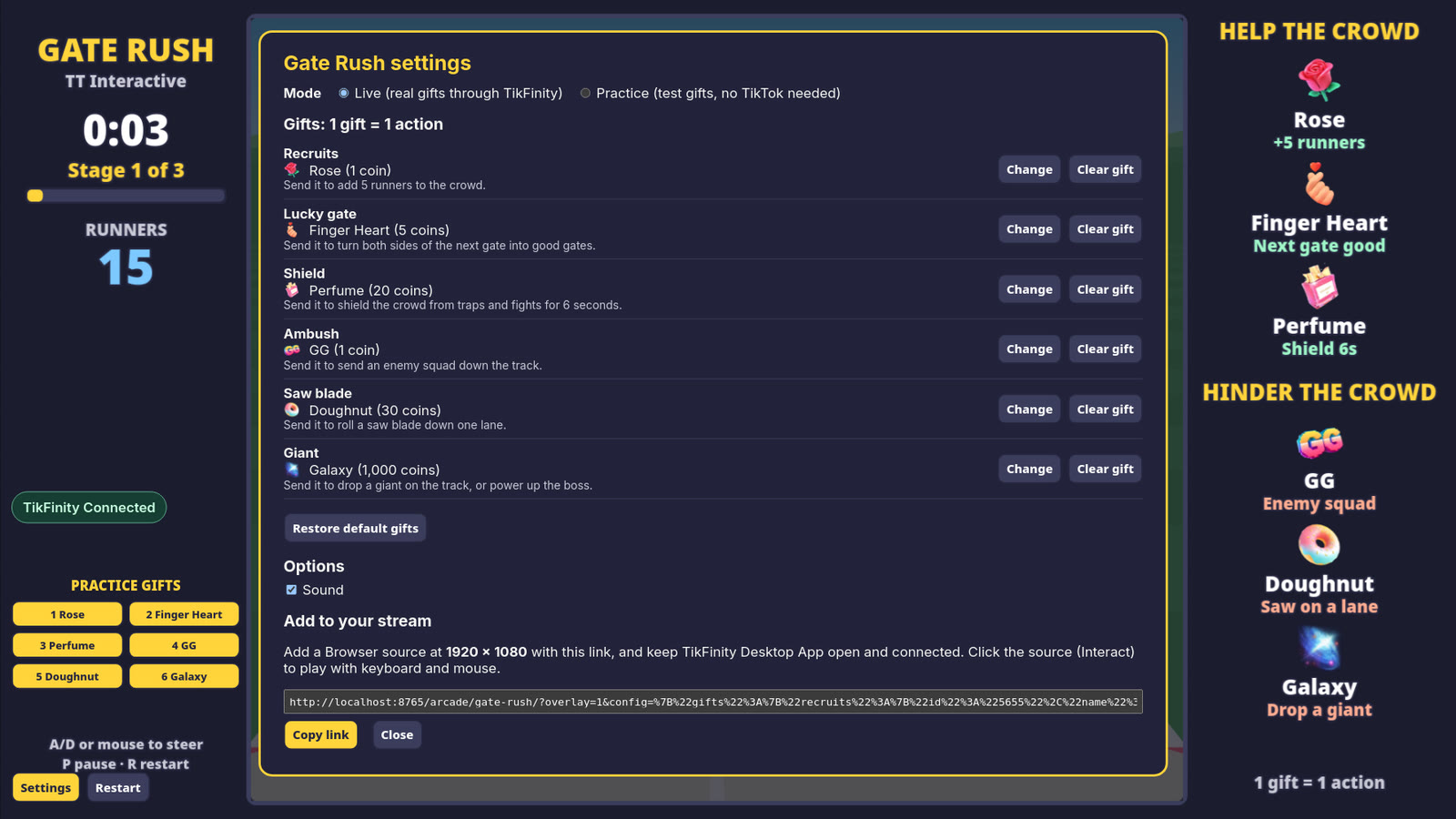
These are the default gifts. You can change any of them in Settings, and each gift can only do one thing.
| Default gift | Coins | Side | What it does |
|---|---|---|---|
| Rose | 1 coin | Help | Adds 5 runners to the crowd. |
| Finger Heart | 5 coins | Help | Turns both sides of the next gate into gold good gates. If no gate is ahead, it adds 8 runners instead. |
| Perfume | 20 coins | Help | Shields the crowd for 6 seconds, stacking up to 20 seconds. It blocks saw blades, boss slams and fight losses. Already at 20 seconds? It adds power for the next boss instead. |
| GG | 1 coin | Hinder | Sends an enemy squad down the road. During a boss fight it rushes straight at the crowd. |
| Doughnut | 30 coins | Hinder | Rolls a saw blade down the lane nearest the crowd. |
| Galaxy | 1000 coins | Hinder | Drops a giant on the road. During a boss fight it heals the boss by 20% and enrages it for 8 seconds. |
Gift streaks count every gift, so a streak of 5 Roses adds 25 runners. There is no cap on runners, and big crowds show as 1.2K, 3.4M and so on. Likes and comments do nothing in Gate Rush.
Beat a boss and you pick 1 of 3 perks. There are 7 perks, each with a limit on how many times you can take it.
Keyboard or mouse. On the overlay, use Interact in OBS first.
| A and D or arrow keys | Steer the crowd left and right |
| Mouse | Move the mouse over the road and the crowd follows it |
| 1, 2, 3 or click | Pick a perk card |
| P or Esc | Pause |
| R | Restart when paused or after a round |
| Shift + 1 to 6 | Send a practice gift (Practice mode) |
Using the default gifts? The plain overlay link works too:
https://wgmojo.gg/arcade/gate-rush/?overlay=1
Captured from the game in practice mode, not mock-ups.
Ready For Stream
Try it with practice gifts, pick your gifts in Settings, then copy the overlay link into OBS before your next TikTok LIVE.
New to TikFinity? Create your new account through Harry's affiliate link and the 20% discount is applied automatically at signup. No code needed.
Quick answers before you go LIVE.
Gate Rush is a free crowd runner game for TikTok LIVE. You steer the crowd with keyboard or mouse, and your viewers' gifts help or hinder you through TikFinity.
Yes. You play it in your browser on wgmojo.gg with no account or checkout.
For real gifts, yes. Keep the TikFinity Desktop App open and connected to your LIVE. Practice gifts work without TikFinity or TikTok.
You do, with keyboard or mouse. Viewers only take part through gifts. There are no touch or gamepad controls yet.
A round has 3 stages, each ending in a boss. It ends when you beat The Brute King, when your crowd hits zero, or at 5:00. A new round starts 12 seconds later.
Yes. Open Settings on the play page and pick any gift for each action. Each gift can only do one action, and Restore default gifts puts the list back.
The overlay link shows the game at 1920 x 1080 with no site menu, buttons or practice gifts, ready to use as a browser source.