
Price
No checkout
Set it up on the hosted page and copy the browser source link.
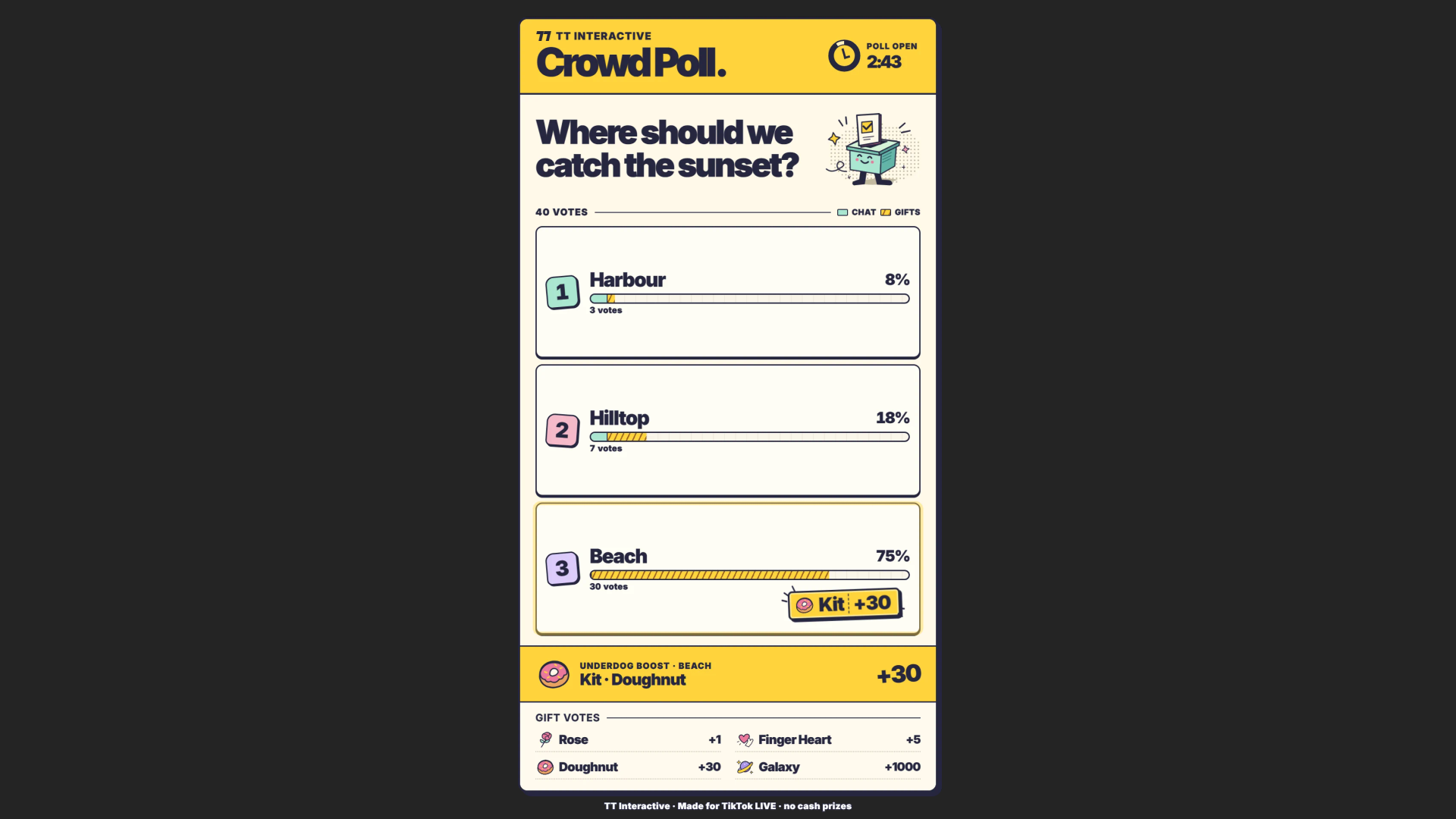
Write a question for your LIVE. Viewers pick an answer in chat and can send gifts to back it.
The short version you can read once and know whether this fits your stream.
Price
No checkout
Set it up on the hosted page and copy the browser source link.
Category
Overlays
Matches the TT Interactive catalogue.
Players
One host asking a question and one chat ballot per viewer
How many viewers can actively take part.
Interaction
Chat chooses an answer. Gifts add votes to the sender’s choice.
What TikTok LIVE events actually drive the widget.
Best For
Creators who want viewers to choose what happens next on stream
The stream moment where it tends to hit hardest.
Write a question and enter two to six different answers. Choose a timer or leave voting open until you close it.
Start the poll and ask viewers to type their answer or its number in chat. They can change their chat vote unless you lock first choices.
Send a Rose to add 1 vote to your answer.
Send a Finger Heart to add 5 votes to your answer.
Send a Doughnut to add 30 votes to your answer.
Send a Galaxy to add 1000 votes to your answer.
Open the Crowd Poll browser source overlay
Real scenes from the live widget output pipeline, not mock-ups.


Ready For Stream
Open the hosted page, set up Crowd Poll, then copy its browser source link into your streaming app before your next TikTok LIVE.
New to TikFinity? Create your new account through Harry's affiliate link and the 20% discount is applied automatically at signup. No code needed.
More games to try with your LIVE.
A timed community goal where three unique gifters start a five-station route and gifts, likes, follows, shares and Super Fan events move the train. Includes creator-written rewards, a current-run Conductor and automatic resets.
hosted page and browser source link.
Overlays
HOSTED PAGEAn engagement overlay that converts gifts and actions into live boss damage with MVP and a leaderboard. Easy to run while you play your main game.
hosted page and browser source link.
Overlays
HOSTED PAGEA cosy bead studio for TikTok LIVE. Viewers type me, follow or share to queue a charm, and their profile picture fills a pegboard one bead at a time before an iron fuses it and it hangs on the shelf with their name. Gifts move a charm to the front, make it heart shaped, fuse it at once or turn it into rainbow glitter.
hosted page and browser source link.
Overlays
HOSTED PAGEA challenge card overlay that sits over the game you are playing. Every gift adds a timed card, such as Swap Controls or Blackout, to a visible queue, and you play under each card in turn.
hosted page and browser source link.
Overlays
Quick answers for creators who want to move fast.
Run a poll on TikTok LIVE with up to six answers. Viewers vote in chat and back a choice with gifts. Reveal the totals or hold a tie-break.
No account or checkout is required. Set up Crowd Poll on its hosted page and copy the browser source link.
Yes. Keep TikFinity Desktop App connected to your TikTok LIVE so viewer gifts reach the game. If your browser asks for local network access, allow it.
Your earlier gift votes stay where you placed them. Changing your chat vote tells the poll which answer to back with your next gift.
Yes. Close voting from the controls or use C in the active browser source. The result shows the leading answer or the tied options.