
Price
No checkout
Set it up on the hosted page and copy the browser source link.
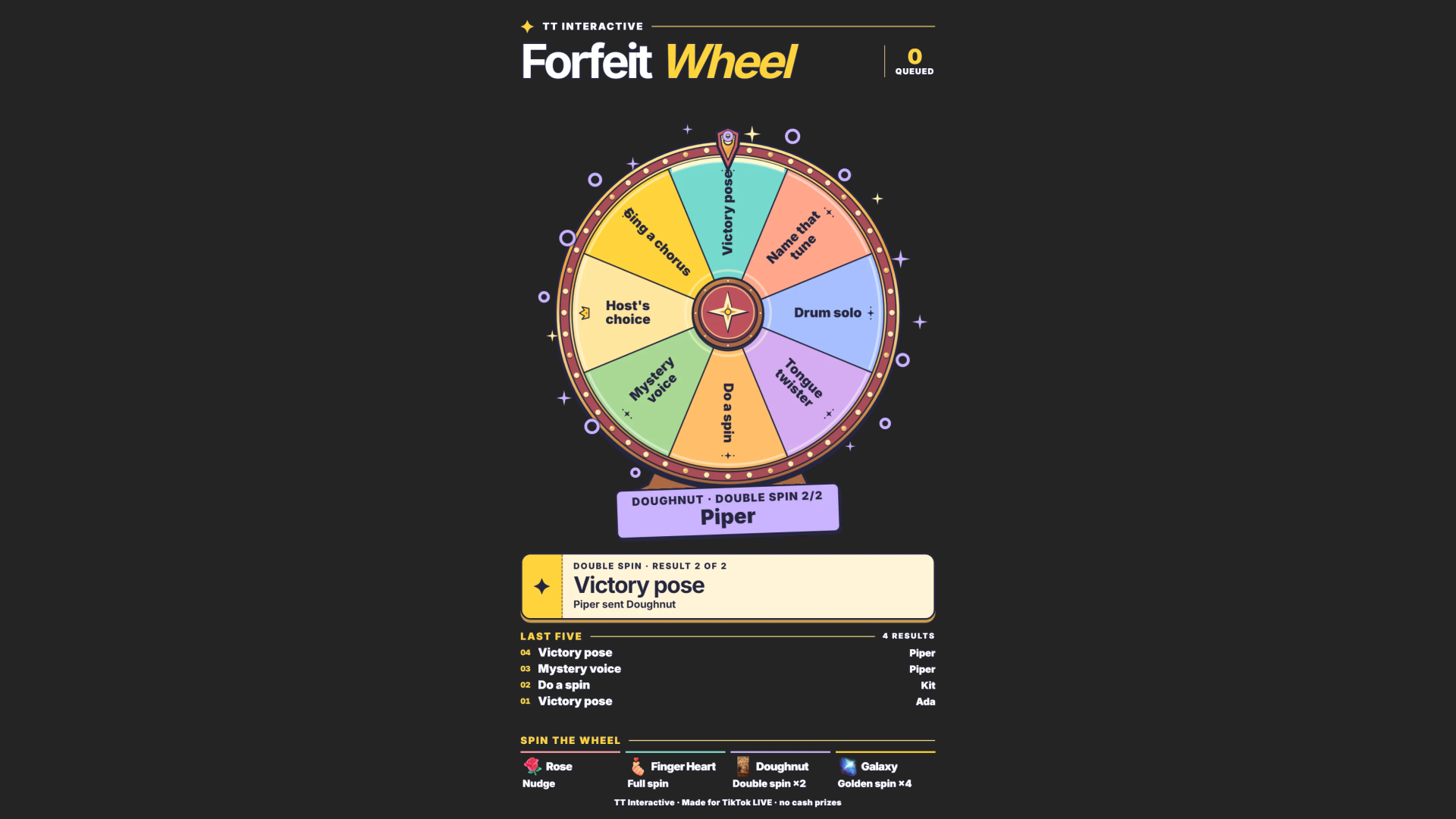
Put your own challenges on the wheel. When a viewer sends a gift, the pointer picks what you do next.
The short version you can read once and know whether this fits your stream.
Price
No checkout
Set it up on the hosted page and copy the browser source link.
Category
Party
Matches the TT Interactive catalogue.
Players
One host taking challenges from the audience
How many viewers can actively take part.
Interaction
Gifts spin the wheel and reveal the challenge under the pointer.
What TikTok LIVE events actually drive the widget.
Best For
Streams where the host wants viewers to choose the next challenge
The stream moment where it tends to hit hardest.
Choose a preset or enter two to twelve challenges of your own. Set a colour for each wedge and mark a jackpot if you want one.
Add the wheel as a browser source. When a spin lands, read out the challenge and the viewer’s name on the result card.
Send a Rose to nudge the wheel one notch.
Send a Finger Heart to spin the wheel for a result.
Send a Doughnut to spin for 2 results.
Send a Galaxy to spin for 4 results and finish on the jackpot if available.
Open the Forfeit Wheel browser source overlay
Real scenes from the live widget output pipeline, not mock-ups.


Ready For Stream
Open the hosted page, set up Forfeit Wheel, then copy its browser source link into your streaming app before your next TikTok LIVE.
New to TikFinity? Create your new account through Harry's affiliate link and the 20% discount is applied automatically at signup. No code needed.
More games to try with your LIVE.
Viewers join a continuous club dance floor. Gifts spotlight, spin or grow their dancer and build crowd hype towards a DROP.
hosted page and browser source link.
Party
HOSTED PAGEA football card squad game with original fictional players. Viewers join one of four teams in chat and draw cards to fill five slots, chasing the highest squad rating.
hosted page and browser source link.
Party
HOSTED PAGEA real-time team battle where viewers split into two factions and compete through gifts, likes, follows, shares and chat. Features a dramatic tug-of-war bar, combo streaks, MVP tracking, and customisable team names and colours.
hosted page and browser source link.
Games
HOSTED PAGEA timed community goal where three unique gifters start a five-station route and gifts, likes, follows, shares and Super Fan events move the train. Includes creator-written rewards, a current-run Conductor and automatic resets.
hosted page and browser source link.
Overlays
Quick answers for creators who want to move fast.
Make a forfeit wheel for TikTok LIVE with your own challenges. Viewers send gifts to spin it, draw extra results or land on the jackpot you mark.
No account or checkout is required. Set up Forfeit Wheel on its hosted page and copy the browser source link.
Yes. Keep TikFinity Desktop App connected to your TikTok LIVE so viewer gifts reach the game. If your browser asks for local network access, allow it.
Yes. Turn on elimination if you want each drawn wedge removed until the wheel has used all its challenges.
Choose a preset to start with a full wheel. You can edit the challenges and their colours before copying your browser source link.